
How to Tell if Your Dimmer Switch Is Compatible With Your Bulbs
| What This Article Covers |
|---|
Dimmer switches and LED bulbs have a compatibility relationship that most older homes were never designed for. When an LED retrofit causes flickering, buzzing, limited dimming range, or unexpected shutoff, the problem almost always traces back to a mismatch between the dimmer's power regulation method and the LED bulb's internal driver — or a non-dimmable bulb on a dimmed circuit. This guide explains how dimmer and bulb compatibility works, how to identify what type of dimmer you have, and how to diagnose the four most common dimming symptoms. It also covers why LED retrofits create minimum-load problems on legacy dimmers, how incandescent, halogen, CFL, and LED technologies differ on a dimmed circuit, and a step-by-step troubleshooting workflow for resolving compatibility issues. Buying guidance for dimmable LED bulbs is included for readers selecting replacements. Best for: homeowners upgrading to LED, DIY renovators, electricians and contractors, facility managers, and anyone troubleshooting flickering, buzzing, or poor dimming performance after a lighting retrofit. |

Person adjusting the brightness of dimmable LED lighting.
Updated 7/28/26 by 1000Bulbs Staff
You replace a few bulbs with LEDs and suddenly the dimmer starts acting strangely. The lights flicker at low settings. The switch buzzes. The bulbs shut off before the dimmer reaches the bottom of the range. Sometimes the lights refuse to dim smoothly at all.
These problems are extremely common during LED upgrades because most older dimmers were originally designed for incandescent bulbs, not LED drivers. The good news is that dimmer compatibility problems are usually predictable and fixable once you understand how the dimmer and bulb interact.
This guide explains how dimmer compatibility works, how to identify the most common dimming problems, how to tell what kind of dimmer you have, and when replacing the dimmer is the simplest long-term solution
What Makes a Bulb and Dimmer Compatible?
A dimmer and bulb are compatible when the dimmer’s power regulation method matches the electrical behavior of the bulb itself or the bulb’s internal driver.
Traditional incandescent dimmers were designed around tungsten filament bulbs. Those dimmers reduce average power by rapidly interrupting electrical current many times per second. Incandescent filaments respond naturally to those power changes, creating smooth dimming from full brightness down to very low light levels.
LED bulbs work differently.
Instead of a glowing filament, LED bulbs contain an electronic driver that regulates voltage and current internally. When older incandescent dimmers interrupt power in ways the LED driver cannot process cleanly, the result is often:
Flickering
Buzzing
Abrupt shutoff
Limited dimming range
Inconsistent brightness
This is why an LED bulb may appear to work correctly at full brightness but behave erratically at lower dim settings.
Load requirements also matter.
Older dimmers were designed for higher-wattage incandescent loads and often require a minimum wattage threshold to operate correctly. After switching to LED, the total circuit wattage may fall below that threshold.
For example:
Six 60W incandescent bulbs = 360W load
Six 10W LED replacements = 60W load
That dramatic reduction in load is one of the biggest reasons older dimmers struggle with LED retrofits.
Modern LED-compatible dimmers are designed specifically for lower-wattage LED circuits and use power regulation methods that LED drivers handle more smoothly.
How to Tell if Your Bulbs Are Dimmable
One of the biggest misconceptions in lighting is assuming all LED bulbs are dimmable.
They are not.
A bulb must be specifically designed for dimming in order to operate correctly on a dimmed circuit. Non-dimmable LEDs often produce immediate compatibility symptoms, including:
Flickering
Buzzing
No dimming response
Premature failure
Complete shutdown on dimmer circuits
The easiest way to verify dimmability is to check the packaging. Dimmable LED bulbs are usually labeled clearly with:
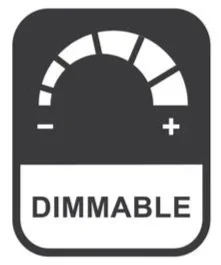
“Dimmable”
A dimmer icon
Dimming specifications
If the packaging is unavailable, check the manufacturer’s product specifications online using the bulb’s model number.
Many bulbs also include dimming information printed directly on the base or housing, although the text can be small and difficult to read once installed.
It is important not to assume compatibility based on base type alone.
A standard E26 household bulb may be:
Dimmable
Non-dimmable
Smart-controlled
The base itself has nothing to do with dimming capability. Always verify before installation, especially when upgrading older incandescent systems to LED.
How to Identify Your Dimmer Switch Type
The most important question is whether the dimmer was designed for incandescent loads or LED loads.
Most dimmers installed before widespread LED adoption were built specifically for incandescent and halogen lighting. Many of those older dimmers still function electrically, but they often perform poorly with LED bulbs.
Check the Dimmer Label
Many newer dimmers identify compatibility directly on the switch or packaging with wording such as:
LED compatible
LED/CFL compatible
Universal dimmer
If the dimmer only references incandescent wattages or lacks any LED labeling entirely, it is likely an older incandescent-only model.
Consider the Installation Age
The age of the dimmer is often one of the strongest clues.
Dimmers installed before the early 2010s were usually designed around incandescent lighting because LED residential adoption had not yet become widespread.
Older homes that still contain original dimmers are especially likely to experience LED compatibility problems after retrofits.
Leading-Edge Dimmers
Leading-edge dimmers, sometimes called TRIAC or forward-phase dimmers, are the traditional incandescent dimmer style. They work well with incandescent and halogen bulbs and are still extremely common in older homes.
Many modern dimmable LED bulbs are also designed to work with leading-edge dimmers, although compatibility varies by bulb and driver design. Older dimmers may still require higher minimum loads or produce flickering, buzzing, or a limited dimming range when paired with certain LED products.
Trailing-Edge Dimmers
Trailing-edge dimmers, also called ELV or reverse-phase dimmers, are typically better suited for LED lighting.
These dimmers:
Handle lower-wattage loads more effectively
Produce smoother LED dimming
Reduce flickering and buzzing
Perform better at low brightness levels
Many modern LED-compatible dimmers fall into this category.
Universal Dimmers
Universal dimmers are designed to work across multiple lighting technologies, including:
LED
Incandescent
Halogen
Some CFL systems
These dimmers automatically adapt to different load types and are often the simplest retrofit option during whole-home LED upgrades.
Even so, “universal” does not guarantee compatibility with every LED bulb. Compatibility lists still matter.
Common Signs of Dimmer Incompatibility
Once LED bulbs are installed on an incompatible dimmer, the symptoms are usually fairly consistent. The specific behavior often reveals whether the issue is the bulb, the dimmer, the load level, or the driver compatibility itself.
Flickering Lights
Flickering is the most common dimmer compatibility problem with LED lighting.

Older rotary switch used to control lamps.
Low-level flicker usually appears when the dimmer is set near the bottom of its range. The bulbs may appear stable at full brightness but begin pulsing or flashing at lower settings.
This typically happens because the LED driver cannot process the dimmer’s power signal smoothly at reduced output levels.
Flickering across the entire dimming range usually points to a more serious compatibility mismatch between the LED driver and the dimmer itself.
Occasional flickering at a fixed brightness level may also indicate:
Loose wiring connections
A failing LED driver
Circuit-level electrical issues
If the bulbs are confirmed dimmable and compatibility problems continue, the dimmer itself is often the cause.
Buzzing or Humming
Buzzing may come from either:
The dimmer switch
The bulb itself
The location of the sound helps narrow down the problem.
If the buzzing comes from the fixture, the LED driver is usually reacting poorly to the dimmer’s power waveform.
If the buzzing comes from the switch itself, the dimmer may be operating outside its intended load range because the LED circuit draws far less power than the dimmer was designed to handle.
A faint hum is sometimes normal, especially at lower dim levels. But clearly audible buzzing that changes with brightness settings usually indicates compatibility problems worth correcting.
Limited Dimming Range
Some dimmers cannot reduce LED brightness smoothly all the way down to very low levels.
Common symptoms include:
Lights shutting off suddenly near the bottom of the range
Brightness jumping between levels
Uneven dimming behavior
Reduced control range
This usually happens because the dimmer’s minimum load threshold is too high for the connected LED wattage.
Many modern LED dimmers include adjustable trim settings that help fine-tune the minimum brightness floor.
Lights That Will Not Turn On Properly
Some incompatible LED systems struggle during startup.
Symptoms may include:
Delayed startup
Intermittent activation
Lights failing to turn on at low dim settings
Some bulbs turning on while others remain dark
In many cases, this happens because:
The LED driver cannot initialize correctly on the dimmer
Non-dimmable LEDs are installed on a dimmed circuit
Different bulb models are mixed together on the same switch
For the most consistent performance, all bulbs on a dimmed circuit should be:
Dimmable
The same model
From the same manufacturer whenever possible
LED Dimmer Compatibility Explained
LED retrofits changed dimming behavior dramatically because LED bulbs draw far less power than incandescent lamps.
A single 10W LED bulb can often replace a 60W incandescent bulb while producing similar brightness, substantially reducing the electrical load across an entire dimmer circuit. That reduced load is one of the primary reasons older dimmers struggle with LED systems.
Why LED Drivers Matter
Every LED bulb contains an internal driver that regulates power to the LED module itself.
Different driver designs respond differently to dimmers. That is why:
One LED bulb may dim perfectly
Another may flicker on the exact same dimmer
This is also why compatibility lists remain so important.
A dimmer labeled “LED compatible” does not automatically guarantee compatibility with every LED bulb on the market.
Why Trailing-Edge Dimmers Work Better
Trailing-edge dimmers generally perform better with LED systems because they create a cleaner power waveform that LED drivers can process more consistently.
Compared to older leading-edge dimmers, they typically provide:
Smoother low-end dimming
Reduced flicker
Less buzzing
Better low-wattage performance
Many modern LED-compatible dimmers use trailing-edge designs specifically for this reason.
Dimmer Type Compatibility Overview
| Dimmer Type | Designed For | LED Compatible? | Common Use |
|---|---|---|---|
| Leading-Edge (TRIAC) | Incandescent / Halogen | Sometimes | Older homes and legacy dimmers |
| Trailing-Edge (ELV) | LED / Electronic Low Voltage | Yes | LED retrofits and modern dimming |
| Universal Dimmer | Multiple Technologies | Usually | Whole-home LED upgrades |
| CFL-Compatible Dimmer | CFL Systems | Sometimes | Older CFL installations |
Compatibility Lists Matter
The most reliable way to verify LED dimmer compatibility is to check the manufacturer’s compatibility list.
Both bulb manufacturers and dimmer manufacturers often publish tested combinations showing which products have been verified to work together.
This is important because even two LED bulbs that appear identical may contain completely different driver designs internally.
Checking compatibility before installation prevents many of the most common dimming problems from happening in the first place.

Example of where to find compatible LED dimmer switch information on 1000Bulbs.com.
Incandescent, Halogen, CFL, and LED Dimming Differences
Different lighting technologies behave very differently on dimmers.
That difference explains why a dimmer that worked perfectly for years may suddenly develop problems after a single LED retrofit.
Incandescent Dimming
Incandescent bulbs dim naturally and smoothly because the tungsten filament simply glows less brightly as power decreases.
They also shift warmer in color at lower brightness levels, which many people associate with comfortable residential lighting.
Incandescent bulbs generally work well with nearly any traditional dimmer.
Halogen Dimming
Halogen bulbs behave similarly to incandescent lamps because they also use a tungsten filament.
They provide:
Smooth dimming
Predictable behavior
Broad compatibility with traditional dimmers
Low-voltage halogen systems may additionally require compatible transformers and dimmers designed for electronic low-voltage operation.
CFL Dimming
Most CFL bulbs were never designed for dimming.
Dimmable CFL products exist, but they usually offer:
Limited dimming range
Slower warm-up behavior
Less consistent dimming performance
CFL dimming compatibility was often frustrating even before LED became dominant.
LED Dimming
LED systems provide excellent dimming performance when properly matched to compatible dimmers.
Modern LED systems can often dim extremely low while maintaining stable output and low energy usage.
However, LED systems are also the most sensitive to compatibility mismatches because of their driver-based design.
How to Fix Led Dimmer Compatibility Problems
Most dimmer compatibility problems can be solved without replacing the entire lighting system. The key is identifying whether the issue comes from:
The bulb
The dimmer
The load level
The driver compatibility
Once that is understood, the fix is usually straightforward.
Replace Non-Dimmable Bulbs
This is the first thing to verify.
If non-dimmable LED bulbs are installed on a dimmed circuit, replacing them with properly dimmable LEDs often resolves flickering and startup problems immediately.
Even if the bulbs appear to “work,” non-dimmable LEDs are not designed to operate on dimmers long-term.
Replace The Dimmer With an LED-Compatible Model
Older incandescent dimmers are one of the biggest causes of LED dimming problems.
Replacing the dimmer with a modern LED-compatible dimmer often resolves:
Flickering
Buzzing
Abrupt shutoff
Poor low-end dimming
In many homes, the dimmer itself is older than the LED retrofit and was never designed for low-wattage LED circuits.
Modern LED dimmers are specifically engineered around:
Lower electrical loads
LED driver behavior
Smoother low-level dimming performance
For larger retrofit projects, replacing the dimmers usually creates better long-term performance than trying to troubleshoot aging incandescent dimmers individually.
Use Bulbs From the Same Manufacturer
Mixing different LED bulb brands on the same dimmer can create inconsistent dimming behavior because each bulb may use a different driver design internally.
For the smoothest performance:
Use matching bulb models
Use matching wattages
Use the same manufacturer whenever possible
This is especially important in:
Multi-bulb vanity fixtures
Chandeliers
Recessed lighting groups
Open multi-socket fixtures
Adjust Low-End Trim Settings
Some modern LED dimmers include adjustable trim controls that allow the installer to set the minimum dimming threshold.
This can help eliminate:
Flickering at low brightness
Sudden shutoff near the bottom of the range
Uneven dimming transitions
Many people never realize these adjustments exist because they are often located behind the faceplate or inside smart dimmer setup menus.
Check Compatibility Lists Before Buying
The easiest way to avoid dimming problems is to verify compatibility before installation.
Many dimmer manufacturers publish tested compatibility lists showing which LED bulbs have been verified to work correctly with their dimmers.
Bulb manufacturers often publish the same information from the opposite direction.
Checking compatibility beforehand is especially important for:
Large retrofit projects
Expensive decorative fixtures
Smart dimmers
Multi-location dimming systems

Homeowner adjusting smart lighting settings with a tablet
Smart Dimmers and LED Compatibility
Smart dimmers add another layer of compatibility considerations because they contain additional electronics beyond standard dimming hardware.
Most modern smart dimmers are designed specifically for LED lighting, but compatibility still matters.
Common Smart Dimmer Features
Modern smart dimmers may include:
App control
Voice assistant integration
Scheduling
Remote access
Multi-location control
Scene programming
These features make them increasingly common during whole-home LED upgrades.
Neutral Wire Requirements
Some smart dimmers require a neutral wire connection to power their internal electronics continuously.
Older homes may not have neutral wires present inside every switch box.
Before installing a smart dimmer, verify:
Neutral wire requirements
Circuit compatibility
LED load compatibility
Smart Bulbs vs. Smart Dimmers
Smart bulbs and smart dimmers are not always designed to work together.
In many systems, smart bulbs should receive constant full power while dimming occurs digitally through the bulb’s internal controls.
Connecting certain smart bulbs to traditional dimmers can create:
Connectivity problems
Flickering
Erratic behavior
Bulb reset issues
Always verify whether the smart bulb manufacturer recommends using standard dimmers at all.

Electrician installing an LED dimmer switch for use with LED light bulbs.
When Replacing the Dimmer is the Best Solution
Sometimes troubleshooting reaches a point where replacing the dimmer is simply the most practical option.
This is especially true when:
The dimmer is more than 10 to 15 years old
The home recently converted heavily to LED
Multiple compatibility symptoms exist simultaneously
The dimmer was designed only for incandescent loads
Modern LED dimmers are usually inexpensive compared to the time spent troubleshooting unstable older systems.
Replacing the dimmer often improves:
Dimming smoothness
Low-end brightness control
Flicker reduction
Long-term stability
In many retrofit projects, upgrading the dimmer is just as important as upgrading the bulbs themselves.
Choosing the Right Dimmer for LED Lighting
The best LED dimmer depends on the lighting type, circuit layout, and desired features.
Standard Residential LED Dimmers
For most homes, a standard LED-compatible dimmer handles:
Recessed lighting
Vanity lighting
Pendants
Chandeliers
General room lighting
These dimmers are designed specifically around modern LED loads.

Lutron CTCL-153P-WH magnetic low voltage dimmer.
ELV Dimmers
Electronic low-voltage dimmers are commonly used with:
Certain LED drivers
Specialty fixtures
Architectural lighting systems
They typically provide smoother low-end dimming performance than older TRIAC dimmers.
Smart Dimmers
Smart dimmers work best when:
Remote control matters
Scheduling is desired
Voice integration is important
Whole-home automation is planned
Compatibility verification remains important, especially with specialty LED bulbs.
Universal Dimmers
Universal dimmers are often the safest retrofit choice because they are designed to support multiple lighting technologies.
They are especially useful during transitional upgrades where a home may temporarily contain LED, incandescent, and halogen bulbs on different circuits.
Need Help Choosing Compatible Dimmer Products?
Dimmer compatibility problems became far more common once LED lighting replaced incandescent bulbs across residential and commercial spaces. The dimmers that worked perfectly for decades with incandescent lamps often struggle with modern LED drivers, especially at lower brightness levels.
Most problems trace back to a few predictable causes:
Non-dimmable bulbs
Older incandescent dimmers
Low LED circuit loads
Driver compatibility mismatches
The good news is that these issues are usually fixable once the lighting system is evaluated correctly.
In many cases, replacing the dimmer with a modern LED-compatible model solves flickering, buzzing, startup issues, and limited dimming range immediately.
For help choosing compatible dimmable LED bulbs, LED-compatible dimmers, smart dimmers, or replacement lighting products, 1000Bulbs lighting specialists are available Monday through Friday, 7 a.m. to 5 p.m. CST. Call 1-800-624-4488 or browse dimmable LED bulbs, LED-compatible dimmers, smart lighting controls, and decorative lighting products at 1000Bulbs.com.
FAQs
Why do my LED lights flicker on a dimmer?
LED flickering usually happens because the dimmer is incompatible with the LED driver or because non-dimmable bulbs are installed on a dimmed circuit.
Can any LED bulb with with a dimmer?
No. The bulb must be specifically rated as dimmable, and it must be paired with an LED dimmer that the bulb manufacturer lists as compatible. Using an incompatible dimmer can cause flickering, buzzing, reduced dimming range, or poor performance. Always check the bulb manufacturer's dimmer compatibility list before purchasing or installing a dimmable LED bulb.
Why do LED bulbs buzz on a dimmer?
Buzzing usually occurs because the LED driver and dimmer are not interacting cleanly or because the dimmer was designed for higher incandescent loads.
Do old dimmers work with LED bulbs?
Sometimes, but many older incandescent dimmers perform poorly with LED retrofits.
What is the best dimmer for LED lights?
Modern LED-compatible or universal dimmers generally provide the best performance with LED bulbs.
Why do my LED lights shut off at low dim settings?
This usually happens because the dimmer’s minimum load threshold is too high for the LED circuit.
Can smart dimmers be used with LED bulbs?
Yes, but compatibility between the dimmer and the LED bulb should still be verified.
Is replacing the dimmer usually necessary for led upgrades?
Not always, but replacing older incandescent dimmers often provides the best long-term LED dimming performance.